Návod
Ako používať infinitelaws
Všetko podstatné na jednej stránke: čo web vie, ako nájdete, čo potrebujete, a ako sa môžete zapojiť. infinitelaws je otvorený komentár k aktu o umelej inteligencii — autentické znenie predpisu a odborný výklad pohromade, zadarmo a bez registrácie.
To najlepšie v skratke
- Štítky použiteľnosti. Pri každom článku vidíte, či sa už používa a odkedy — vrátane dátumov posunutých pozmeňujúcim nariadením Digital Omnibus.
- Zdroje a súvislosti pri článku. Ku každému ustanoveniu súvisiace odôvodnenia, krížové odkazy, úradné pramene a novinky, ktoré sa ho týkajú.
- Časová os „Kedy čo platí“. Celý harmonogram nábehu aktu 2024 – 2030 na jednej stránke, s preklikom na dotknuté články.
- Filter podľa dátumu použiteľnosti. Jedným kliknutím si zobrazíte (a stiahnete) len články, ktoré sa používajú od vybraného dátumu.
- Citácie na klik. Označte pasáž znenia alebo komentára a skopírujte ju aj s citáciou ustanovenia a trvalým odkazom.
- Šikovné hľadanie. ⌘K prehľadá čísla, názvy aj plné znenie (bez ohľadu na diakritiku) a publikované komentáre — vo všetkých 8 jazykoch.
- Export presne toho, čo si vyberiete. Vyberte si články a stiahnite presne ich: tlačové PDF, dvojstĺpcové PDF alebo Word.
- Komentár so zdrojmi. Každé tvrdenie výkladu má očíslovaný, dohľadateľný prameň. AI-generated, human-expert-curated.
Čítanie predpisu
Komentované znenie otvoríte z úvodnej stránky. Vľavo je obsah s kapitolami a oddielmi: klik rozbalí či zbalí, bodka pri článku ukazuje stav komentára (zlatá = publikovaný, jantárový krúžok = vo verejnej recenzii).
Jazyk prepnete v hlavičke a zostanete pri tom istom ustanovení. K dispozícii je svetlý aj tmavý režim a nastavenie veľkosti písma; každé ustanovenie má navyše vlastnú stránku s trvalým odkazom.
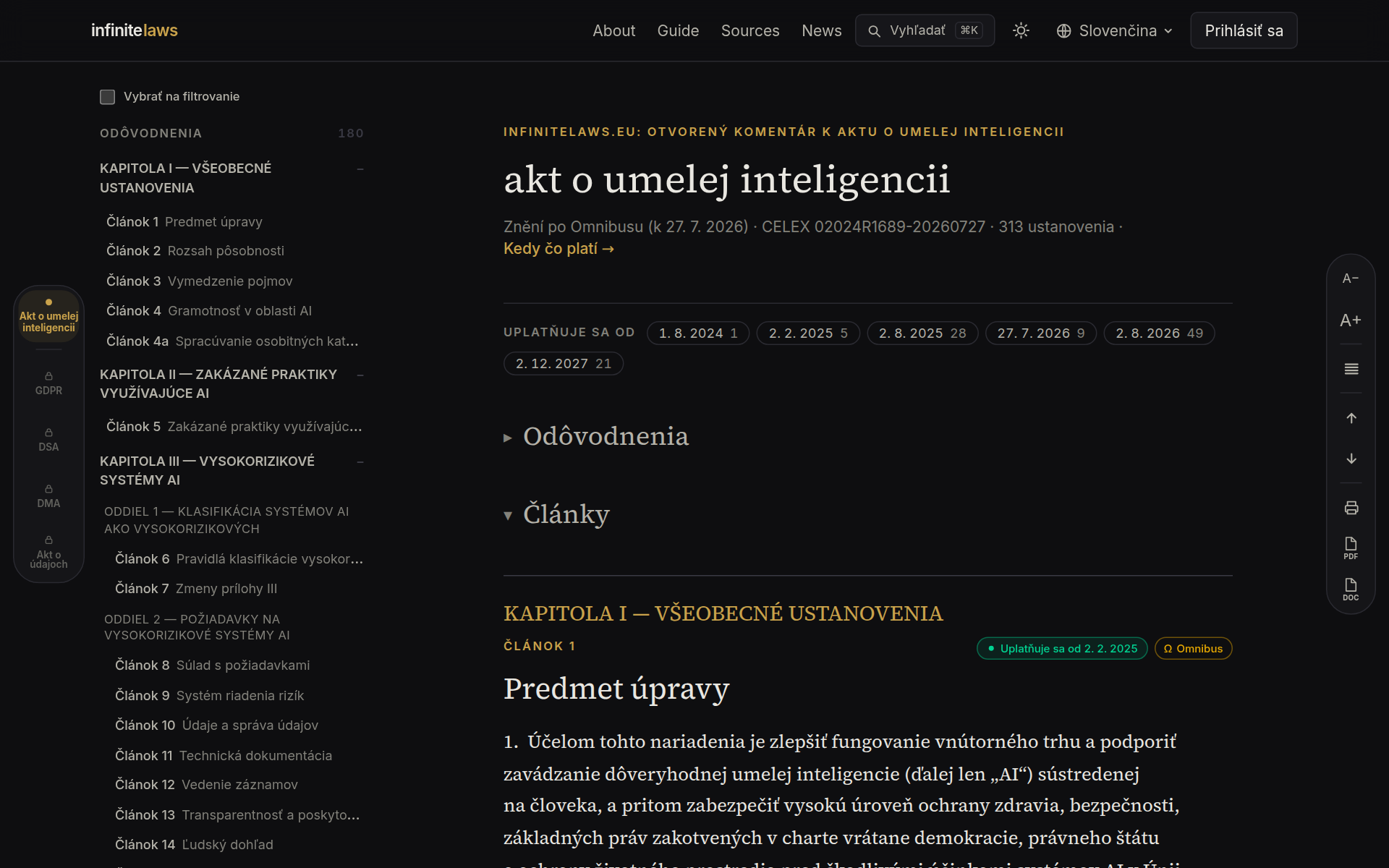
Štítky použiteľnosti: čo už platí a odkedy
Akt o umelej inteligencii nabieha postupne a pozmeňujúce nariadenie Digital Omnibus časť dátumov posunulo. Štítok v pravom hornom rohu každého článku preto ukazuje: zelená bodka = článok sa používa (od uvedeného dátumu), hodiny = použije sa v budúcnosti, jantárové presýpacie hodiny = dátum posunulo pozmeňujúce nariadenie.
Ikona vrstiev značí viac časových režimov (napríklad iné dátumy pre prílohu III a prílohu I). Štítok Ω označuje články, ktorých text pozmeňujúce nariadenie vecne mení.
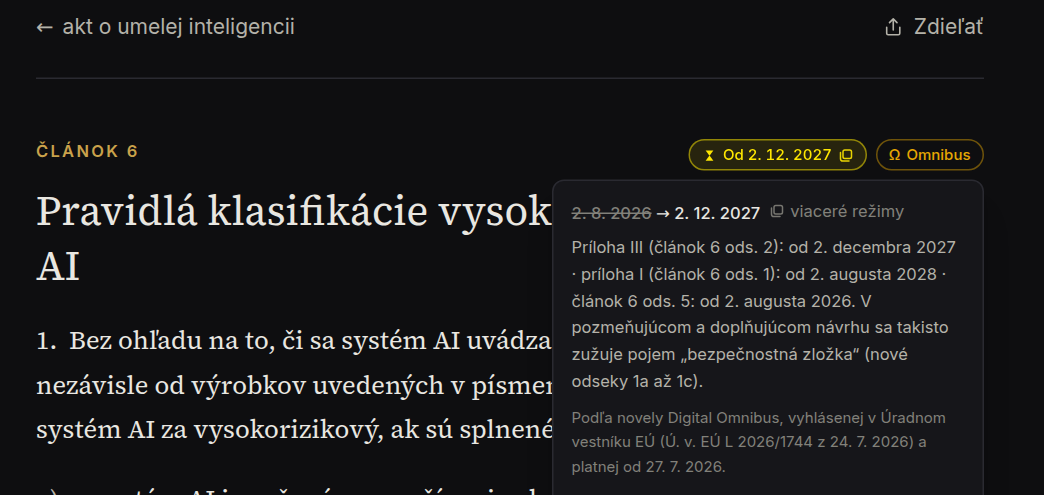
Kliknutím na štítok otvoríte detail: pôvodný prečiarknutý dátum, nový dátum, rozpad režimov a právny stav pozmeňujúceho nariadenia — bolo uverejnené v Úradnom vestníku (Ú. v. EÚ L 2026/1744) a platí od 27. júla 2026. Z detailu vedie odkaz na celú časovú os.
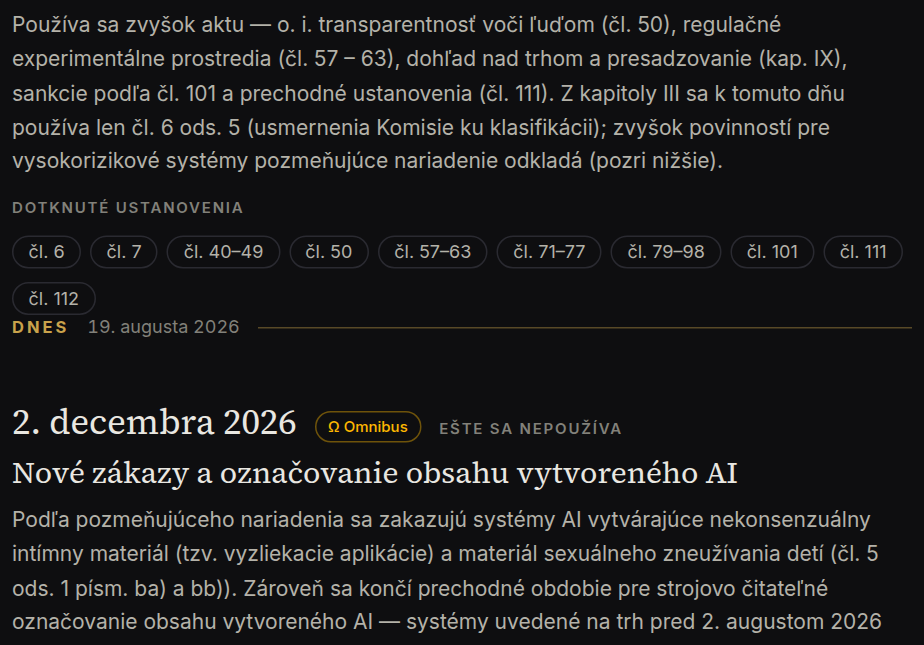
Časová os: Kedy čo platí
Potrebujete celkový obraz namiesto štítkov pri jednotlivých článkoch? Stránka Kedy čo platí skladá celý nábeh aktu na jednu zvislú os: míľniky od nadobudnutia platnosti (august 2024) po rok 2030, značku Dnes, pri posunutých termínoch prečiarknutý pôvodný dátum so štítkom Ω a pri každom míľniku prekliky na dotknuté ustanovenia.
Stránka je pripravená aj na tlač — Ctrl/⌘+P vytvorí čistý dokument vo svetlej sadzbe, ktorý môžete priložiť k internej analýze.
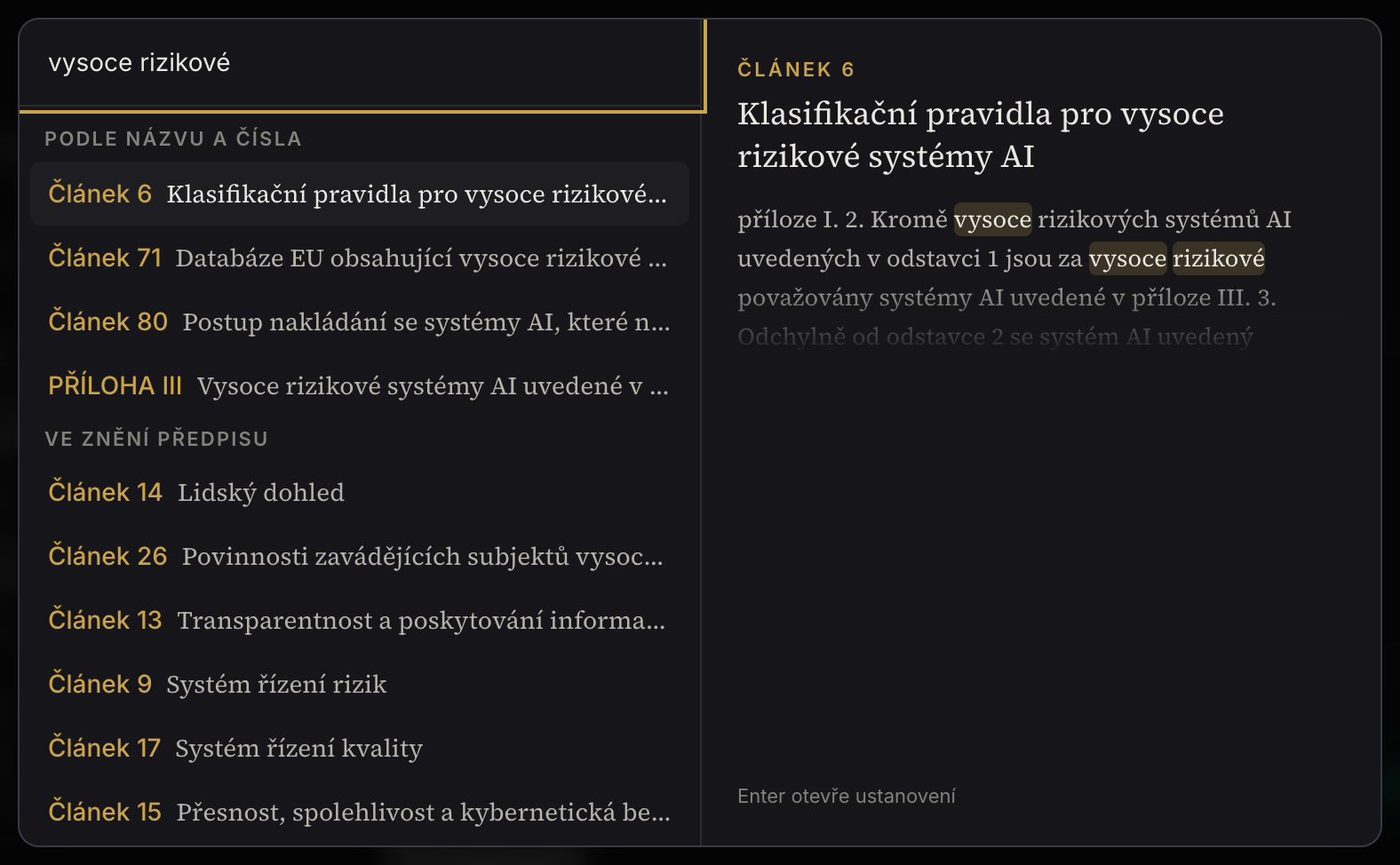
Hľadanie
Stlačte ⌘K (alebo kliknite na Hľadať v hlavičke). Hľadá sa podľa čísel a názvov, v plnom texte celého znenia aj v publikovaných komentároch — s náhľadom a zvýraznením zhody. Diakritika nehrá rolu a hľadanie funguje vo všetkých 8 jazykoch.
Filter a výber
Zaškrtnite v obsahu „Filter“ a vyberte kapitoly, oddiely alebo jednotlivé články — čítate potom len to, čo potrebujete. Výber prežije aj prepnutie jazyka; zrušíte ho jedným kliknutím.
Nad textom nájdete druhý filter — podľa dátumu použiteľnosti. Štítky (napr. 2. augusta 2026 alebo 2. decembra 2027) ukazujú, koľko článkov sa od daného dátumu používa; klik na štítok nechá v čítačke len ich. Oba filtre sa sčítajú a export aj tlač potom pracujú presne s tým, čo vidíte na obrazovke.
Export a tlač
V pravej lište nájdete tri tlačidlá: Tlač (PDF pripravené pre tlačiareň, s číslami strán), PDF (dvojstĺpcová sadzba) a Word. Exportuje sa celý akt, alebo len články vybrané filtrom; rozbalené komentáre možno pribaliť.
Citácie na klik
Označte myšou ľubovoľnú pasáž znenia alebo komentára — nad výberom sa objaví lišta s dvoma možnosťami: Kopírovať text, alebo Kopírovať s citáciou. Druhá voľba pridá k textu úvodzovky, presné označenie ustanovenia (napr. „Článok 50, nariadenie (EÚ) 2024/1689 (akt o umelej inteligencii)“) a trvalý odkaz na infinitelaws — pripravené na vloženie do podania, analýzy či e-mailu.
Komentáre
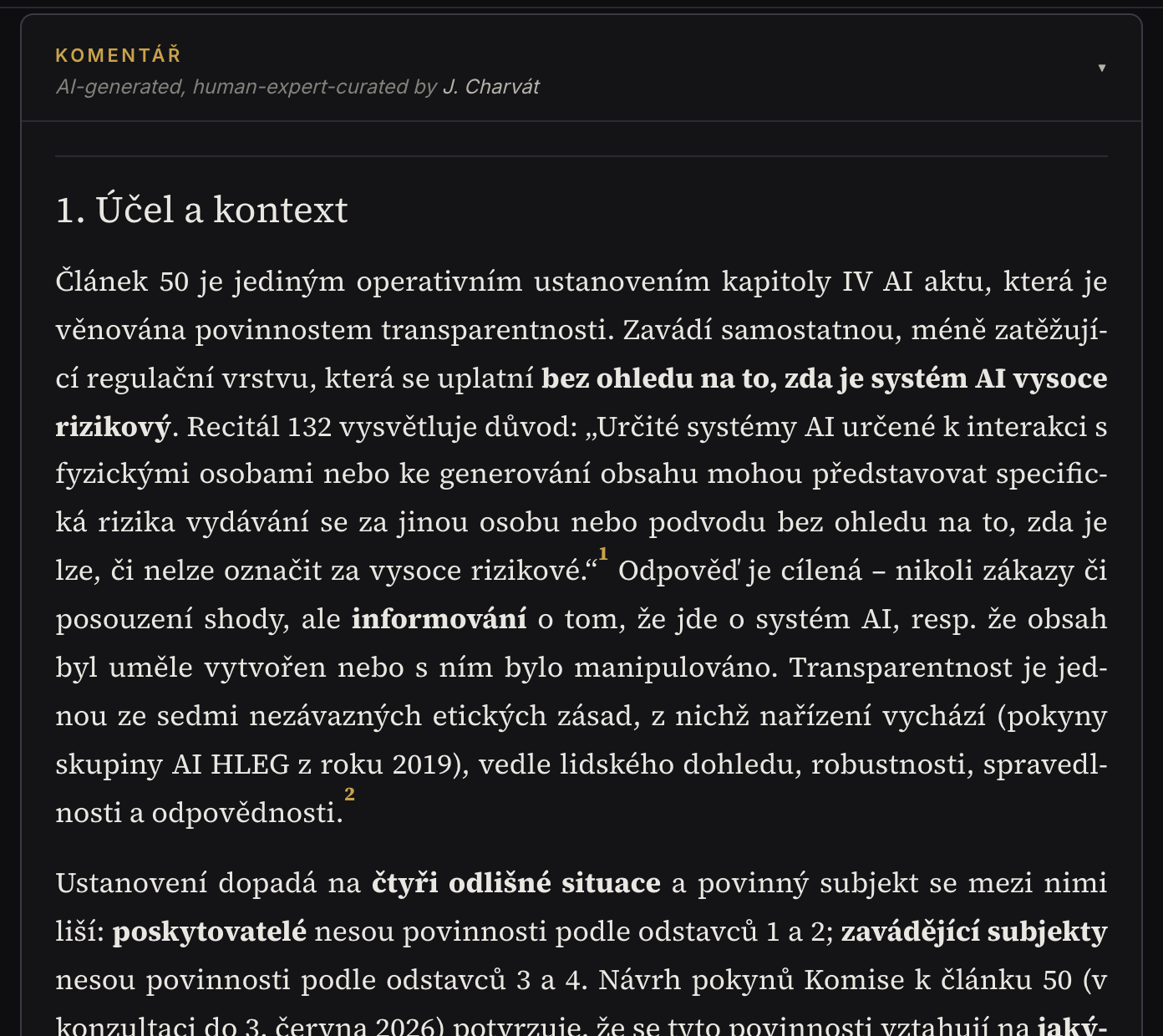
Komentár nájdete pod textom ustanovenia — pruh rozkliknete. Výklad má pevnú štruktúru a každé tvrdenie nesie očíslovaný prameň (autentický text, usmernenia EÚ, odborná literatúra), na ktorý sa dostanete jedným kliknutím.
Publikované komentáre môžete hodnotiť (👍 Užitočný / ⚠ Nepresný) a diskutovať pod nimi; cudzojazyčné príspevky si preložíte tlačidlom. V jazykoch bez natívneho výkladu sa zobrazuje strojový preklad (eTranslation) s viditeľným označením a odkazom na originál.
Tam, kde komentár zatiaľ nevznikol, nájdete na stránke článku tlačidlo Chcem komentár — záujem čitateľov určuje poradie v našej fronte a po vydaní vám dáme vedieť e-mailom.
Zdroje a súvislosti
Stránka každého ustanovenia nesie sekciu Zdroje a súvislosti: súvisiace odôvodnenia (pri zmapovaných článkoch), krížové odkazy na nadväzujúce články a prílohy, úradné pramene k článku (usmernenia Komisie, kódexy, vnútroštátne predpisy) a novinky, ktoré sa ustanovenia týkajú. Pri odôvodneniach a prílohách funguje väzba aj opačne — vidíte, ktoré články sa o ne opierajú.
Zapojte sa do recenzie
Ste právnik či odborník na reguláciu AI? Prihláste sa cez Google, vyplňte krátky profil a v záložke Recenzia pripomienkujte vznikajúce komentáre: k čomukoľvek pridáte poznámku a dáte verdikt 👍 Odporúčam zverejniť / ✋ Mám výhrady. Po zapracovaní pripomienok sa otvorí nové kolo s prehľadným porovnaním zmien.
Recenzie sú zatiaľ anonymné; o verejné uvedenie medzi recenzentmi vás prípadne požiadame osobitne a so súhlasom.
Dobré vedieť
Komentár je odborný informačný materiál, nie právna rada. Ak narazíte na chybu, použite ⚠ Nepresný, diskusiu alebo kontakt v pätičke — každá spätná väzba komentár zlepšuje. Kto za projektom stojí a ako obsah vzniká, opisuje stránka O projekte.