Guide
How to use infinitelaws
Everything that matters on one page: what the site can do, how to find what you need, and how to take part. infinitelaws is an open commentary to the AI Act — the authentic text and expert analysis side by side, free and with no sign-up.
The best bits in a nutshell
- Applicability labels. Every article shows whether it already applies and since when — including the dates moved by the Digital Omnibus amendment.
- Sources & context per article. For each provision: related recitals, cross-references, official materials and the news items that touch it.
- The “What applies when” timeline. The Act's full 2024–2030 phase-in schedule on one page, linked to the affected articles.
- Filter by date of application. One click shows (and exports) only the articles that apply from the date you pick.
- One-click citations. Select a passage of the text or of a commentary and copy it together with the provision citation and a permanent link.
- Smart search. ⌘K searches numbers, titles, the full text (accent-insensitive) and published commentaries — in all 8 languages.
- Export exactly what you select. Pick articles and download just those: print-ready PDF, two-column PDF, or Word.
- Commentary with sources. Every statement carries a numbered, verifiable source. AI-generated, human-expert-curated.
Reading the regulation
Open the Annotated text from the home page. The left-hand contents lists chapters and sections: click to expand or collapse, and the dot next to an article shows the commentary status (gold = published, amber ring = in public review).
Switch language in the header and you stay at the same provision. Light and dark mode and font-size controls are available; every provision also has its own page with a permanent link.
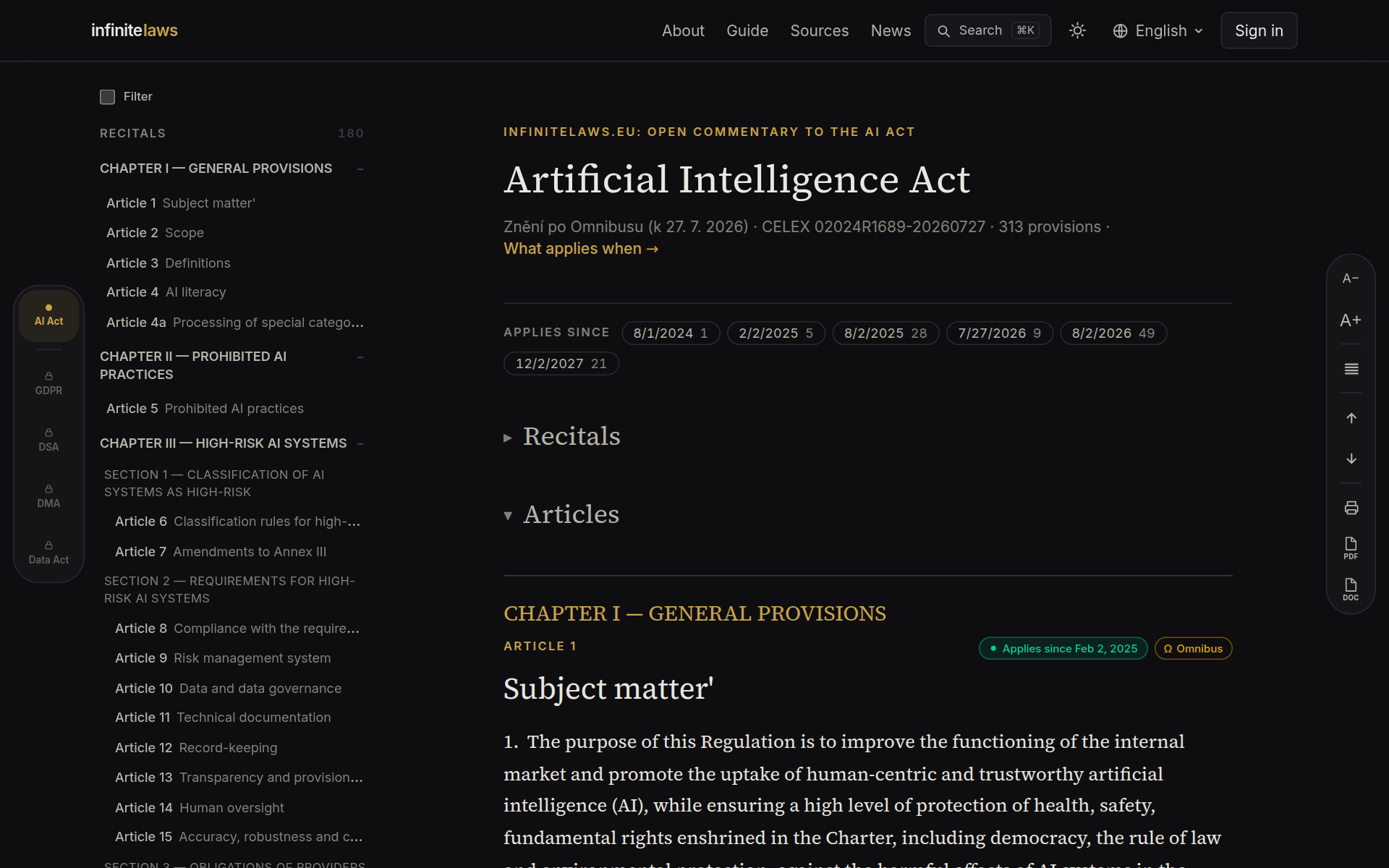
Applicability labels: what applies, and since when
The AI Act enters into application in stages, and the Digital Omnibus amendment moved some of the dates. The label in the top-right corner of each article shows: a green dot = the article applies (since the date shown), a clock = it applies in the future, an amber hourglass = the date was deferred by the amendment.
The layers icon marks multiple temporal regimes (for instance different dates for Annex III and Annex I). The Ω badge marks articles whose text the amendment substantively changes.
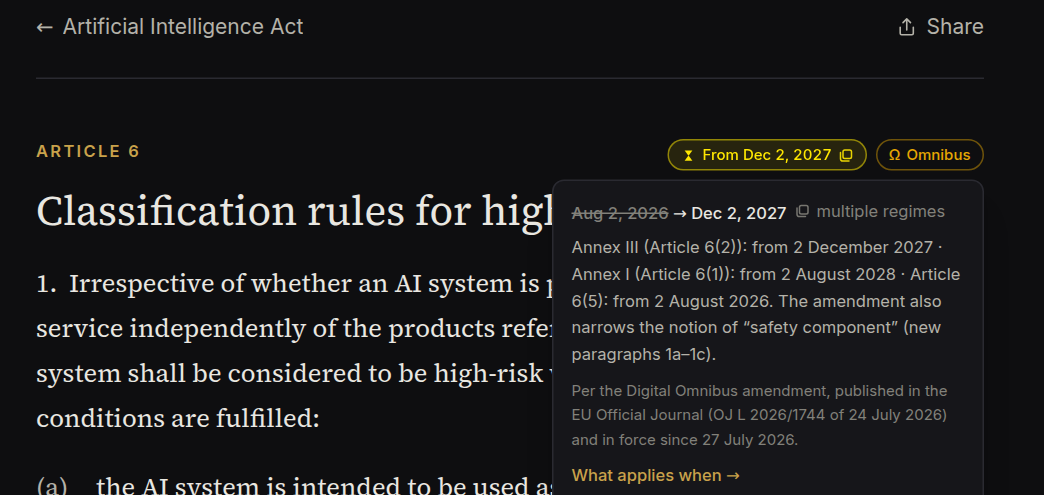
Click the label for detail: the original date struck through, the new date, the regime breakdown and the amendment's legal status — it was published in the Official Journal (OJ L 2026/1744) and has been in force since 27 July 2026. The detail links on to the full timeline.
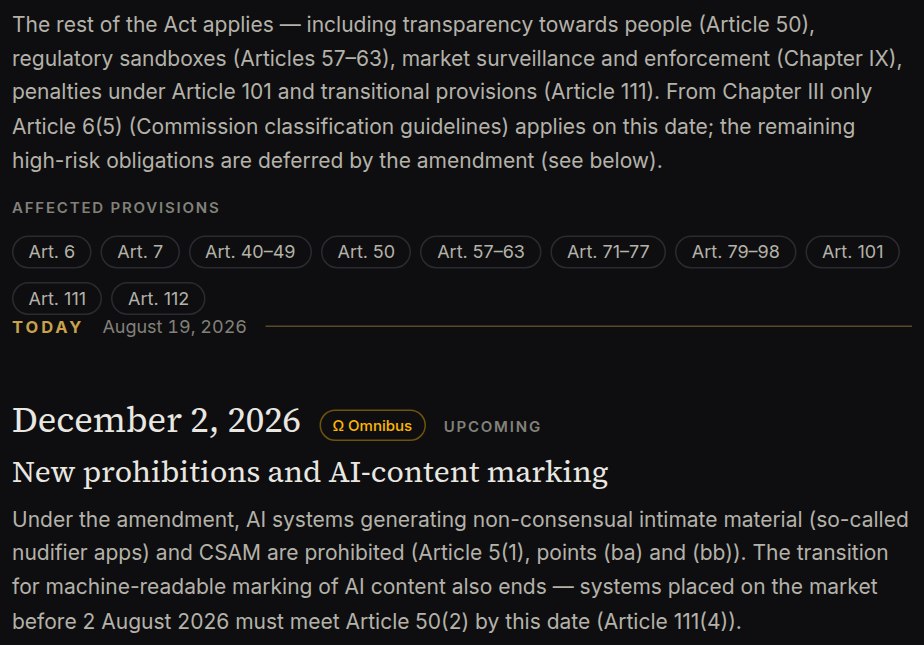
Timeline: What applies when
Need the big picture rather than per-article labels? The What applies when page lays the Act's entire phase-in on a single vertical axis: milestones from entry into force (August 2024) to 2030, a Today marker, deferred dates struck through with the Ω badge, and links to the affected provisions at every milestone.
The page is print-ready too — Ctrl/⌘+P produces a clean light-typeset document you can attach to an internal analysis.
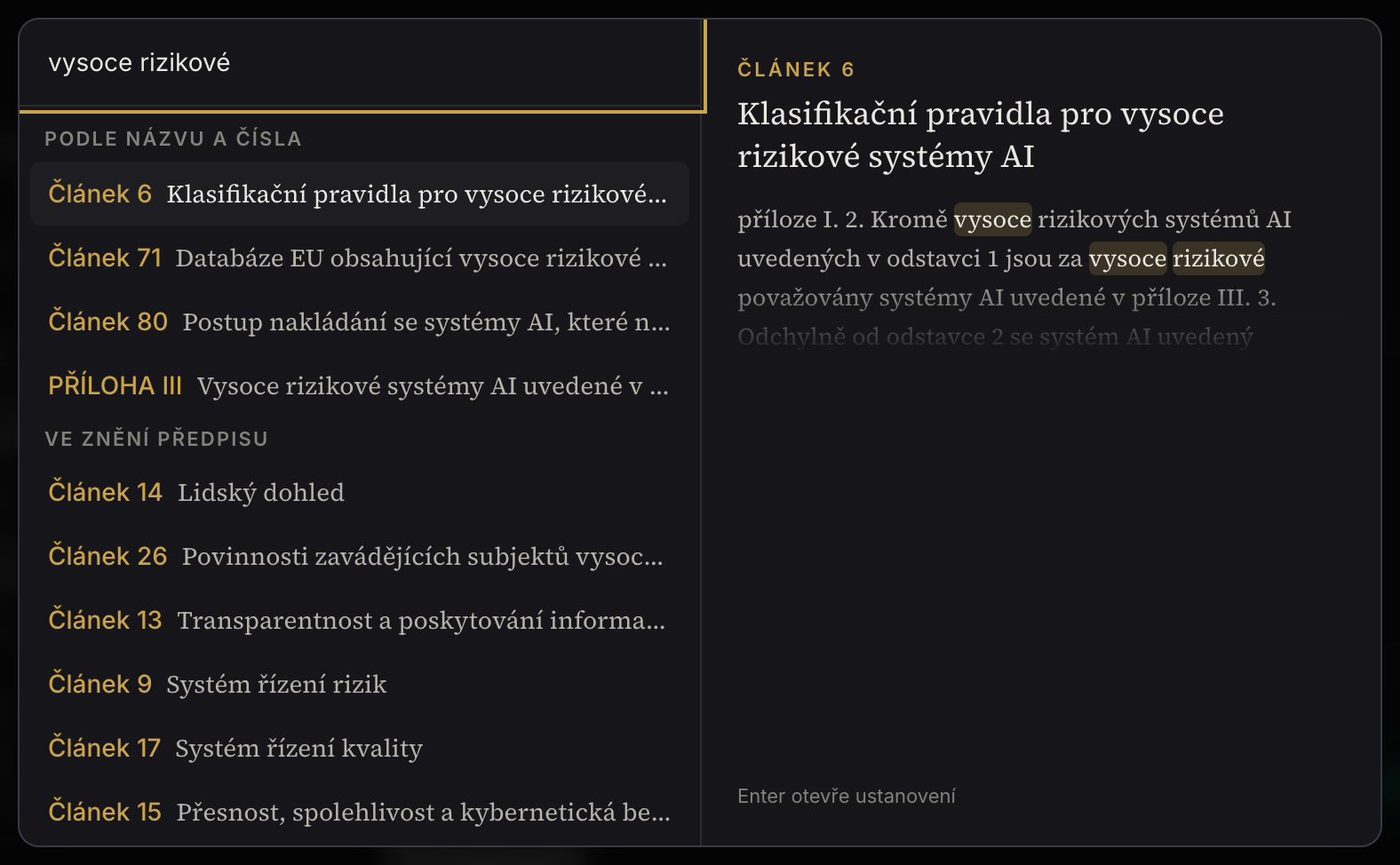
Search
Press ⌘K (or click Search in the header). It searches numbers and titles, the full text of the regulation and published commentaries — with a preview and highlighted matches. Accents don't matter and it works in all 8 languages. For real research the palette is too small: the last item of the list opens the results page, with filters (articles, recitals, annexes, chapter), every match, and an address you can send.
Filter and selection
Tick “Filter” in the contents and select chapters, sections or individual articles — you then read only what you need. The selection survives switching languages; clear it with one click.
Above the text there is a second filter — by date of application. The chips (e.g. 2 August 2026 or 2 December 2027) show how many articles apply from that date; clicking one leaves just those in the reader. The two filters combine, and export and print then work with exactly what you see on screen.
Export and print
The right-hand toolbar has three buttons: Print (a print-ready PDF with page numbers), PDF (two-column typesetting) and Word. Export the whole Act or just the articles picked by the filter; expanded commentaries can be included.
One-click citations
Select any passage of the text or of a commentary — a toolbar appears above the selection with two options: Copy text, or Copy with citation. The latter wraps the text in quotation marks and adds the precise provision citation (e.g. “Article 50(2), Regulation (EU) 2024/1689 (EU AI Act)”) plus a permanent infinitelaws link — ready to paste into a brief, an analysis or an email. When the selection sits in the text of the act, the chevron opens two more forms for scholarly writing: the official citation with the Official Journal reference and the ELI (including which version you are citing), and a bibliographic reference following ISO 690.
Commentaries
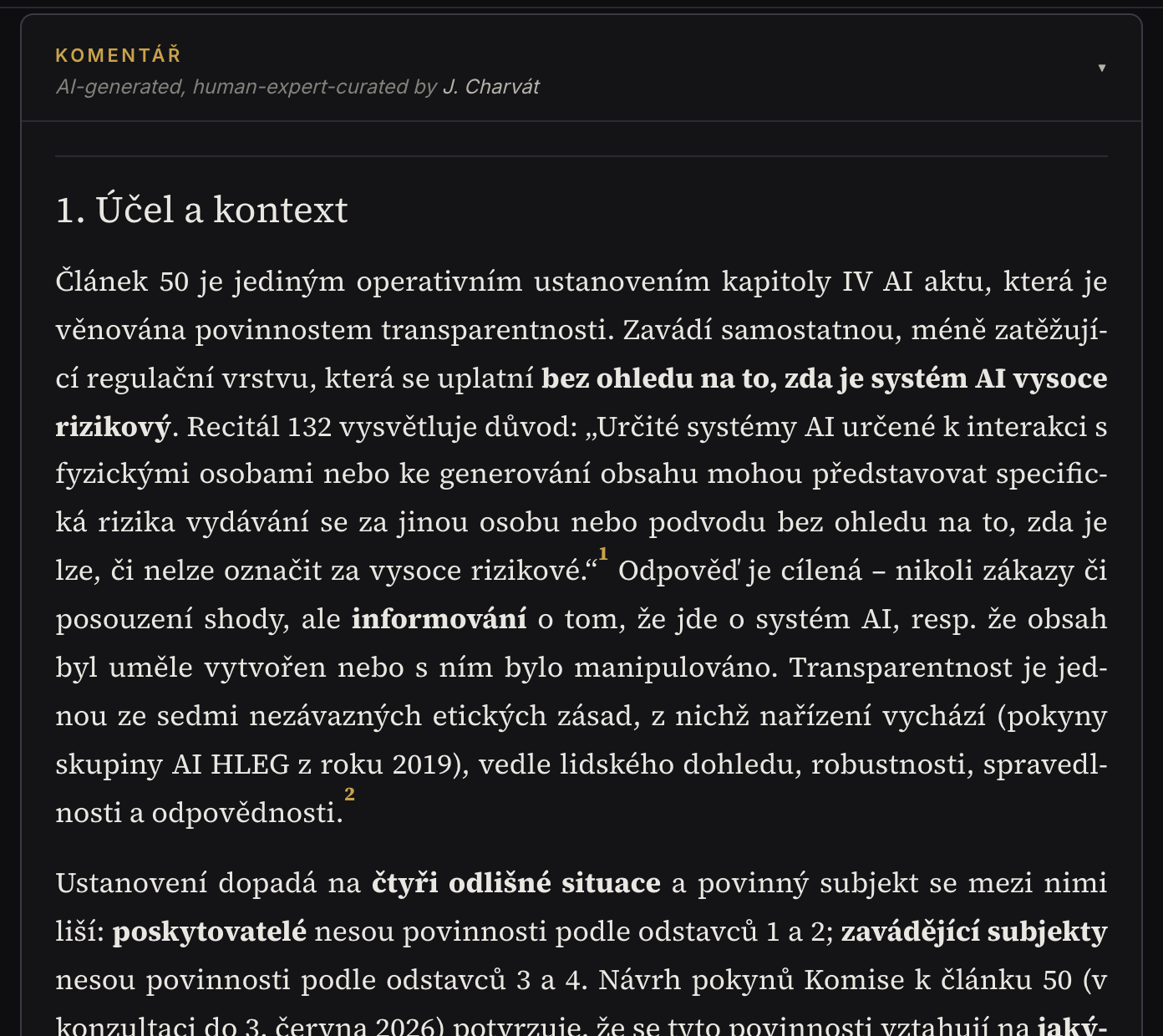
The commentary sits under the provision text — click the strip to expand it. The analysis has a fixed structure and every statement carries a numbered source (the authentic text, EU guidance, scholarship), one click away.
You can rate published commentaries (👍 Helpful / ⚠ Inaccurate) and discuss them; foreign-language posts translate at the click of a button. In languages without a native commentary, a machine translation (eTranslation) is shown with a visible label and a link to the original.
Where no commentary exists yet, the article's page offers a Request commentary button — reader demand shapes our queue, and we'll email you once it's published.
Sources & context
Every provision's page carries a Sources & context section: related recitals (for mapped articles), cross-references to connected articles and annexes, official materials on the article (Commission guidance, codes of practice, national law) and news items touching the provision. For recitals and annexes the link works in reverse too — you see which articles rely on them.
Join the review
Are you a lawyer or an AI-regulation expert? Sign in with Google, complete a short profile and comment on draft commentaries in the Review tab: add notes on anything and give a verdict — 👍 Recommend publishing / ✋ I have reservations. Once notes are addressed, a new round opens with a clear comparison of changes.
Reviews are anonymous for now; we will only credit you publicly with your separate consent.
Good to know
The commentary is expert information, not legal advice. If you spot an error, use ⚠ Inaccurate, the discussion, or the contact in the footer — every piece of feedback improves the commentary. Who is behind the project and how the content is made is described on the About page.